PDF Viewer Pro: Scan & Convert

PDF Viewer Pro: Scan & Convert Summary
PDF Viewer Pro: Scan & Convert is a free, ad-supported, with in-app purchases iOS app in Business by Dat Nguyen Huu. Released in Mar 2026 (7 months ago). It has 13 ratings with a 4.30★ (good) average. Based on AppGoblin estimates, it reaches roughly 119 monthly active users and generates around $<10K monthly revenue (52% IAP / 48% ads). Store last updated Sep 14, 2026
Recent activity: 1.00 new ratings this week View trends →
PDF Viewer Pro: Scan & Convert SDKs Summary
App not yet scanned for SDKs.
4.3★
Ratings: 13
Screenshots

App Description
Need a tool to work with PDFs more effectively? Download this app now to enjoy many useful features!
PDF Viewer Pro makes it simple to view, edit, and manage all your PDF files in one place. You can also create new PDFs or convert other file types with ease.
MAIN FEATURES:
- Read PDF and manage all your PDF files easily
- Edit, sign, and convert PDF
- Protect important files with passwords
- Scan paper documents into PDFs
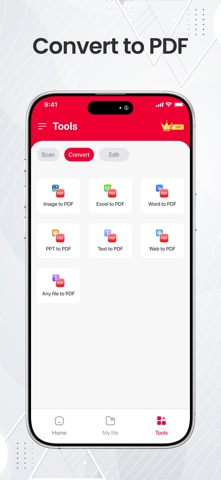
- Convert different file types into PDF
- Merge or split pages
- Save time and handle all your PDF tasks on your phone.
Read PDF
• Open and read any PDF file
• Fast and clear
• Move through pages easily and enjoy a comfortable reading experience.
Edit PDF
• Add new text directly into the document.
• Highlight important information you want to remember.
• Draw, circle, or mark anything on the page.
• Jump to any page for quick reviewing.
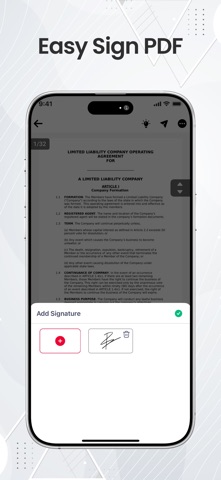
Sign PDF
• Create your own digital signature.
• Insert your signature into forms, contracts, and documents.
Bookmark
• Mark important pages that matter to you.
• Return to saved pages without searching.
• Keep track of details in large or long documents with ease.
PDF Converter
• Turn different types of files into PDF format.
• Convert PDFs easily
PDF Scanner
• Use your device camera to scan documents, receipts, or ID cards.
• Capture clear images and turn them into digital PDFs.
• Organize and save your scanned files for quick access anytime.
Merge/Split PDF
• Combine several PDF files into one complete document.
• Create a single, neat file that is easier to store and share.
• Separate a large PDF into smaller files.
Subscription Information:
• Try a 3-day trial or upgrade to Premium with a weekly or yearly plan for full access.
• Payment will be charged to your App Store account after purchase.
• Subscriptions renew automatically unless canceled at least 24 hours before the renewal date.
• You can manage or cancel your subscription anytime in your account settings.
Thank you for downloading the PDF Viewer Pro app. If you enjoy using it, please consider leaving a positive review. Your support helps us improve the app and bring even better features in the future.
Policy: https://sites.google.com/view/pdfviewerpro-policy
TnC: https://sites.google.com/view/pdfviewerpro-tnc