PDF Converter - Edit, Sign PDF

PDF Converter - Edit, Sign PDF Summary
PDF Converter - Edit, Sign PDF is a free, ad-supported, with in-app purchases iOS app in Business by QUANTUM4U LAB PRIVATE LIMITED. Released in Apr 2026 (4 months ago). Store last updated Aug 11, 2026
PDF Converter - Edit, Sign PDF SDKs Summary
App not yet scanned for SDKs.
0★
Ratings: 0
Screenshots



App Description
Need Help in Business Work?
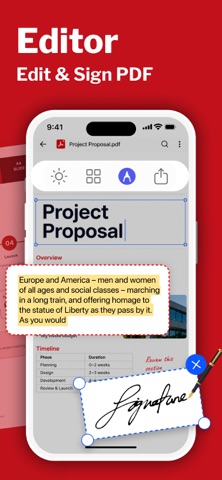
Effortlessly convert, edit, sign, manage PDFs , ask & summarize PDF anytime, anywhere. Whether you're importing files from your photo library, iCloud, camera, or from anywhere.
What do you want to do:
- Word to PDF ?
- Photo to PDF ?
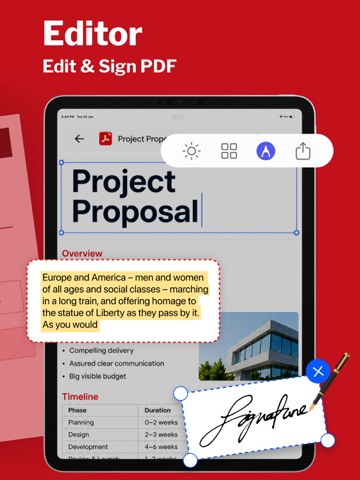
- Sign PDF ?
- Edit PDF ?
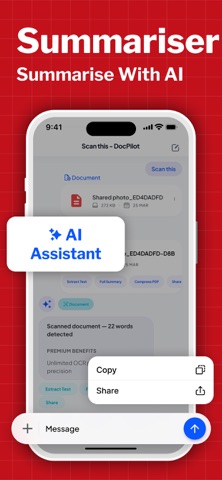
- Summarise PDF ?
- Translate PDF ?
- Ask PDF ?
Having a doubt in the PDF or Docs?
Just upload your PDF & ask anything about the PDF
Whether you're managing study material, office files, or everyday paperwork, it Ask AI Doc Manager brings everything together in one clean, simple space. Built for speed and clarity, it combines smart AI assistance with powerful file handling tools, so you spend less time searching and more time getting things done.
Your Smart Document Companion
Turn your phone into a reliable notebook for all your files. From quick notes to full-length reports, PDF Converter helps you read, organise, and interact with every document effortlessly. Open and manage all major file formats, including pdf, doc, ppt, and XLS—without switching between apps.
Ask AI, Get Instant Answers
Stuck reading a long file? Just ask.
- With built-in LLM-powered intelligence, you can:
- Ask questions directly from any doc
- Get quick explanations from complex content
- Understand key points without scrolling endlessly
It’s like having a personal assistant inside your notebook, ready whenever you need it.
Smart Summaries for Faster Reading
Don’t have time to read everything? PDFPilot4u can summarise any document in seconds. Whether it's a classroom file, a business report, or an untitled draft, get clear summaries that help you focus on what matters most.
PDFPilot4u isn’t just a viewer—it’s a full pdf tools hub designed to simplify your workflow:
- Scan Doc / PDF with Doc Scanner
- Summarise PDF instantly
- Ask questions from any pdf
- Merge pdf files into one
- Split large files into smaller parts
- Compress files to save storage
- Lock & unlock sensitive documents
- Extract or reorder pages
- Add watermark on docs
- Rotate or crop pages easily
- Batch process multiple files
- OCR text from scanned images
- Compare pdf versions quickly
- Sign documents digitally
- Redact sensitive information
- Convert image to pdf or doc to pdf
- Export pdf to image or text
- Add handwritten inputs
- Use ready templates
- Share via email or QR
Everything you expect from prof