
IndoorLedger Summary
IndoorLedger is a free, with in-app purchases iOS app in Business by SpatialAlgebra Technology Limited. Released in Aug 2026 (1 month ago). Store last updated Aug 25, 2026
IndoorLedger SDKs Summary
App not yet scanned for SDKs.
0★
Ratings:
Screenshots

App Description
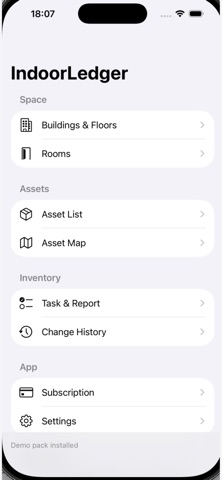
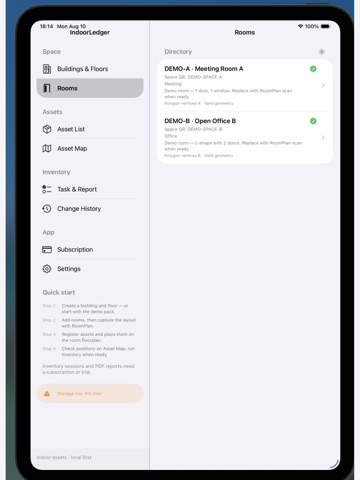
IndoorLedger is an on-device indoor asset register for iPad (and iPhone). Capture rooms with Apple RoomPlan, place assets on a floor plan, attach photos, and keep a local ledger—no account and no cloud required for core registration.
WHAT YOU CAN DO
• Build buildings, floors, and rooms locally
• Scan rooms with RoomPlan (LiDAR iPad recommended) and claim furniture as draft assets
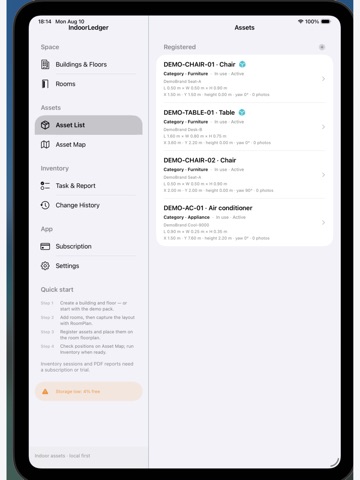
• Register assets with codes (scan or type), photos, size, and elevation
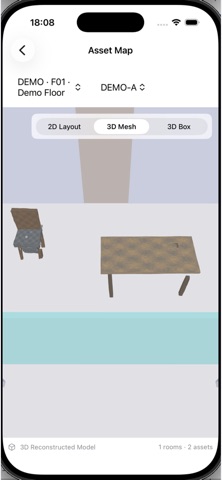
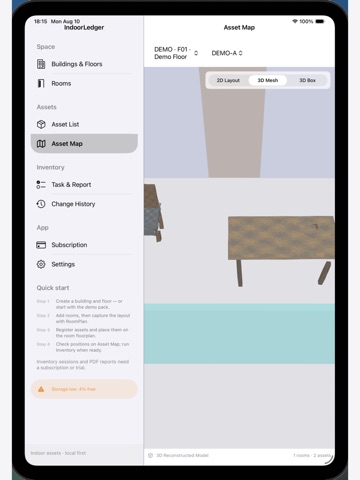
• Align floors with control points and review 2D / 3D views
• Optional Object Capture from photos to attach a USDZ model
• Run inventory walks, close differences, and generate inventory report PDFs (Pro)
• Save local checkpoints on device (Pro)
• Work offline; data stays in the app sandbox
FREE VS INVENTORY PRO
Free includes core registration and viewing, with space limits (2 buildings / 4 floors / 10 rooms). Demo inventory samples stay browsable.
Inventory Pro (subscription or 7-day on-device trial) unlocks:
• Creating formal inventory tasks and walk sessions
• Inventory report PDF generation
• Full change-history audit
• Unlimited buildings / floors / rooms
• Local checkpoints
Subscriptions are billed through your Apple ID and renew automatically unless cancelled at least 24 hours before the end of the current period. Manage in Settings → Apple ID → Subscriptions.
Privacy Policy:
https://app.notion.com/p/Privacy-Policy-3b8127023822807a9752ebc3e34f3de3?source=copy_link
Terms of Use (EULA):
https://app.notion.com/p/Terms-of-Use-3b812702382280bdae17e5f63d777244?source=copy_link
REQUIREMENTS
• iPadOS / iOS 17 or later
• RoomPlan / best experience: LiDAR-equipped iPad
• Camera, Photos, and Location (When In Use) for scanning, asset photos, and map pin placement