PDF Scanner & Editor Pro

PDF Scanner & Editor Pro Summary
PDF Scanner & Editor Pro is a free, with in-app purchases iOS app in Business by Maksym Mashkov. Released in Aug 2026 (recently released ago). Store last updated Aug 15, 2026
PDF Scanner & Editor Pro SDKs Summary
App not yet scanned for SDKs.
0★
Ratings:
Screenshots



App Description
Paperwork, handled.
PDF Magic Pro gives you a fast, private workspace to scan paper, edit PDFs, sign documents, recognize text, compress files, organize paperwork, and share the finished result.
SCAN CLEAN PDFS
• Capture multipage documents with automatic edge detection
• Import existing PDFs from Files and other apps
• Save and share standard scans without a subscription
EDIT AND FINISH
• Rotate or remove pages
• Add your handwritten signature
• Merge documents and turn images into PDFs
• Compress large files for email and sharing
• Securely cover sensitive details before sending
FIND ANY DOCUMENT
• Recognize text with on-device OCR
• Search titles and recognized document text
• Favorite and organize important paperwork
• Keep your library available through private iCloud sync
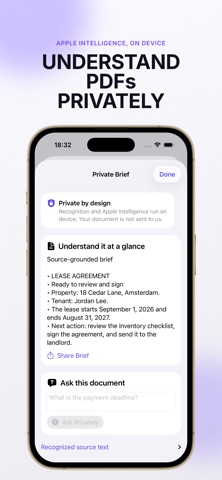
PRIVATE BY DESIGN
• No account required
• Document processing happens on your device
• No advertising or cross-app tracking
• Your documents remain under your control
PDF Magic Pro includes 10 free Smart Pages each month. Smart Pages power advanced processing such as OCR, compression, protection, and secure redaction. Ordinary scanning and PDF saving remain free.
Upgrade to Pro for unlimited Smart Pages and the complete toolkit. Annual Pro includes a 7-day free trial. Subscriptions renew automatically unless canceled at least 24 hours before the end of the current period. Manage or cancel in App Store account settings.
Terms of Use: https://www.apple.com/legal/internet-services/itunes/dev/stdeula/
Privacy Policy: https://pdf.sweetapps.dev/privacy.html