DS Launcher

DS Launcher Summary
DS Launcher is a free, with in-app purchases iOS app in Tools by Giuseppe Giannetto. Released in Sep 2026 (recently released ago). Store last updated Sep 30, 2026
DS Launcher SDKs Summary
App not yet scanned for SDKs.
0★
Ratings: 0
Screenshots


App Description
Organize your TV home screen from your iPhone or iPad with DS Launcher.
DS Launcher is a companion app for compatible TV devices already running DS Launcher. Arrange app tiles into rows, hide apps you do not use, choose a built-in background or frame a personal photo, and sync your changes to the connected television.
FEATURES
• Arrange app tiles using your touchscreen.
• Hide unused apps and keep frequently used apps easy to find.
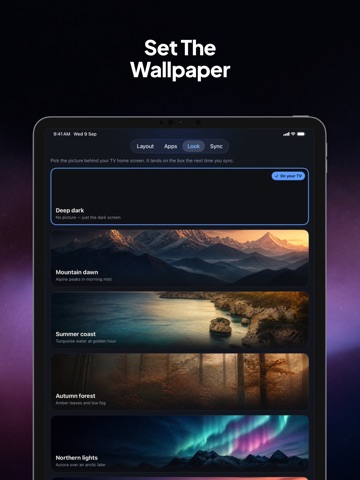
• Choose from built-in wallpapers or crop your own image to a 16:9 TV frame.
• Save named setups on this device and load them as drafts before syncing.
• Choose Standard, Medium or Extra Large home-row tiles with a compatible updated TV launcher.
• Open installed apps on your paired TV with its separate PIN consent.
• Adjust supported TV caption language, text size and placement; recording consent stays on the TV.
• Manage a compatible device in your home or help with a device in another location.
• Explore the app with a built-in practice box before connecting your own device.
CONNECT YOUR DEVICE
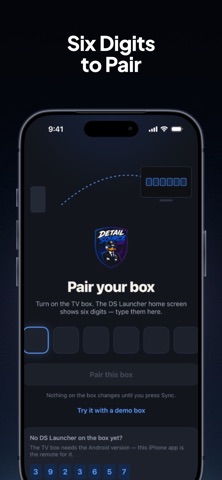
Enter the six-digit pairing code displayed by DS Launcher on your TV device. The code identifies the device you want to manage. Pairing does not purchase access or grant a paid entitlement. No separate DS Launcher account is required.
ACCESS AND IN-APP PURCHASES
Each new box has a 14-day free trial. Continued layout editing after the trial and grace period requires an unlock for that box. Choose Lifetime Box Unlock as a one-time in-app purchase, or Yearly Box Unlock as an annual subscription. Available prices are displayed on the purchase screen. The yearly subscription renews automatically unless canceled through your Apple Account subscription settings. Restore Purchases is available for eligible previous App Store purchases.
Your TV keeps working when the trial ends; the unlock enables further layout changes from the companion app.
COMPATIBILITY
A separate compatible TV device running DS Launcher is required to manage a real TV home screen. Size and photo features require a compatible updated TV launcher and sync service. Saved setups stay on this device and are removed when the app or its data is deleted. Caption commands request TV settings, not confirmation that capture is running; supported TV hardware, consent and playable audio are required. This app does not change the iPhone or iPad system launcher and