SORAGAKI HIRAGANA/KATAKANA

SORAGAKI HIRAGANA/KATAKANA Summary
SORAGAKI HIRAGANA/KATAKANA is a with in-app purchases iOS app in Education by Bosphorus Digital. Released in Dec 2013 (12 years ago). Store last updated Apr 27, 2021
SORAGAKI HIRAGANA/KATAKANA SDKs Summary
App not yet scanned for SDKs.
0★
Ratings:
Screenshots

App Description
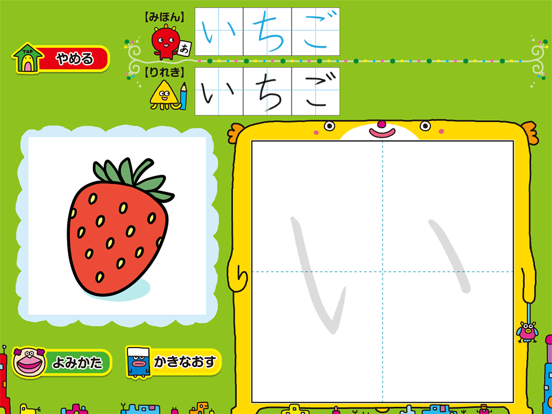
The leaning application of stroke orders and words, “SORAGAKI HIRAGANA / KATAKANA” is the application which enables the learning of the stroke orders, character styles, and words of hiragana and katakana by tracing and writing them on a tablet screen with a finger or stylus pen.
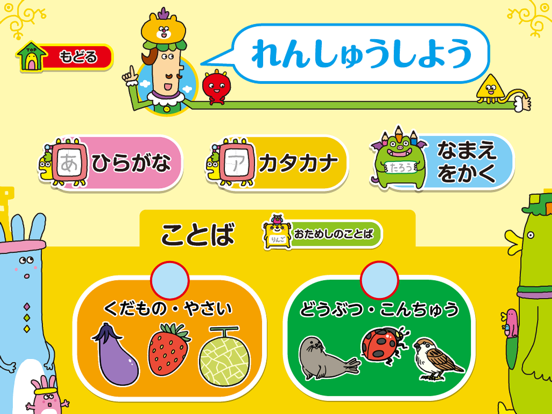
You can learn each character of hiragana and katakana independently, and furthermore you can also register your name and practice to write it and you can practice the words in 2 categories (additional charge is required.)
If you pass the word practice, you can get the illustration of the word as the prize. It is full of other articles to evoke children’s sense of accomplishment.
Great points!!
●You can finely represent “tome,” “hane,” and “harai,” and practice to write beautiful characters.
●You can also hear and practice character pronunciation, so that you can simultaneously learn reading and writing.
■Functions
・It covers all 71 characters (including dull and semi voiced sound) of hiragana and katakana respectively.
・One of 3 practice methods, “select and write,” “write in order,” and “write voluntarily” can be selected for the practice character.
”Select and write”: Characters appear in order from the selected character. Several characters can be selected.
”Write in order”: Characters appear in order from “あ・ア” and “い・イ.”
”Write voluntarily”: Characters appear at random.
・The character practice has 3 patterns, “with stroke order,” “without stroke order,” “write with hearing sound.”
”With stroke order”: Trace the stroke order displayed by one stroke to practice.
”Without stroke order”: Practice only displaying a trace character.
”Write with hearing sound”: Practice hearing the pronunciation of a character.
・”Hint” enables to confirm the stroke number and line of a character.
・The written character is automatically judged right or wrong. When passing it, you will get “○.”
・The written character is recorded just as the written image. The record can also be deleted.
・You can input your name (hiragana and katakana) at “write name,” and practice to write the name. After finishing the practice, the characters you wrote will be displayed on the top screen.
・At “trial words” you can practice words including animal names and fruit or vegetable names