Document Reader & PDF Editor


Document Reader & PDF Editor Summary
Document Reader & PDF Editor is a free, ad-supported, with in-app purchases Android app in Productivity by QR Code Scanner.. Released in Jul 2022 (4 years ago). It has about 127.3M+ installs and 502K ratings with a 4.71★ (excellent) average. Based on AppGoblin estimates, it reaches roughly 6.3M monthly active users and generates around $500K+ monthly revenue (69% IAP / 31% ads). Store last updated Sep 24, 2026
Recent activity: 633K installs this week (2.9M over 4 weeks) showing steady growth , and 3.3K new ratings this week View trends →
Advertising: AppGoblin has tracked 2.00 ad creatives this app uses for paid user acquisition across ad networks. AppGoblin also detected 1.00 monetized ad creatives shown inside the app.
SDK intelligence: AppGoblin detected 10 ad networks(e.g. Google), 8 development tools, 1 mediation, 1 analytics: product, 1 analytics: attribution,and 1 business tools integrated into Document Reader & PDF Editor. View full SDK list →
Data tracking: The app's network data flows (API traffic to/from the app and its SDKs) were last crawled on Feb 1, 2026.
Document Reader & PDF Editor SDKs Summary
Document Reader & PDF Editor was last scanned for SDKs on 2026-09-15. Below is the overview of third-party companies detected in the app. The full list of SDKs, permissions and unknowns is available here.
Document Reader & PDF Editor has 10 Ad Networks SDKs
 Google
 Facebook
 AppLovin
 InMobi
Document Reader & PDF Editor has 8 Development Tools SDKs
 Square
 Airbnb Engineering
 Flutter
Document Reader & PDF Editor has 1 Mediation SDKs
 AdMob
AdMobDocument Reader & PDF Editor has 1 Analytics: Product SDKs
 Firebase
Document Reader & PDF Editor has 1 Analytics: Attribution SDKs
 Adjust
Document Reader & PDF Editor has 1 Business Tools SDKs
4.71★
Ratings: 502K
Screenshots



App Description
All document reader, all in one file viewer read PDF, DOCX, XLS, PPT, TXT files.
Document Reader is an all-in-one file viewer that helps you read, edit, and manage all your office files with ease. From reviewing lecture notes before an exam to checking work reports on the commute — PDF, WORD, EXCEL, PPT, TXT, etc. are all supported.
It's easy to use and compatible with all office formats. Just open it, and your documents are neatly organized in folders for quick search — no more digging around to find that one contract, invoice, or handout.
It's also a powerful PDF toolkit — edit and sign PDFs without a printer, convert scans into PDFs in seconds, and create polished documents from ready-made templates. View, convert, edit, sign, and manage everything in one place!
Why choose Document Reader?
👏 Support all formats - PDF, DOC, DOCX, XLS, XLSX, PPT, TXT, PNG, JPG, RTF, etc.
👏 All document viewer/office viewer
👏 Read all documents anywhere, anytime with just one tap
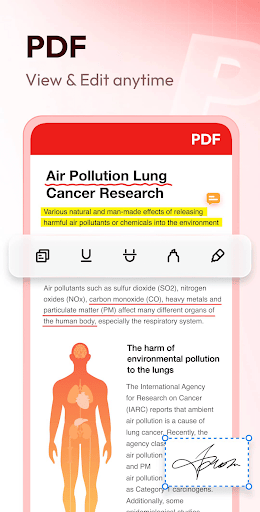
👏 Edit, annotate, and sign PDFs with ease
👏 Simple and clear file lists, easy to search and manage files
👏 Bookmark documents for quick access
👏 Color inversion for comfortable reading day and night
👏 No internet required, read documents offline
Download this simple, fast, lightweight all document reader now!
Document Reader can work as:
📕 PDF Reader/PDF Viewer
- Zoom in/zoom out pages while reading
- Jump to any page directly
- Switch between landscape and portrait mode freely
- Easily print and share PDFs
- Search text within files
✍️ PDF Editor
- Edit text directly in your PDFs — change content, size, font, and color
- Customize text with bold, italic, underline, strikethrough, and alignment
- Add text & insert images to your PDFs
- Annotate with highlights, doodles, underlines, and strikethroughs
- Add signature directly to any PDF
🔄 PDF Converter
- Image/Scan to PDF: convert images or scans into PDFs
- Word to PDF: convert DOC/DOCX files to PDF for instant sharing
- PDF to Word: convert PDFs into editable Word documents
- PPT to PDF: keep slide layouts intact when converting presentations
🧩 Document Templates
- Resume templates: professional CVs in minutes
- Letter & fax templates: ready-made formats for any correspondence
- Simple templates: clean designs for everyday needs
- Poster templates: eye-catching designs for events and announcements
- Freely edit text and fonts, or replace images with your own photos
📘 Word Reader
- Handy document viewer for all DOC, DOCX, and DOCS files
- Quickly locate any file with the built-in search
- Sort all documents by file path, size, name, last edit date, etc.
- Simple and elegant interface
📈 Excel/Text Viewer
- Quickly open XLS, XLSX, TXT files and find the data you need
- A simple and straightforward way to read spreadsheets on your device
🔍 PPT Viewer
- Viewing PPT, PPTX, PPS, PPSX files has never been easier
- Fast and stable performance, HD quality
➡️ More features on the way
✔️ AI summary
✔️ Text translation
✔️ OCR for PDFs
✔️ Edit Excel
✔️ Fill PDF forms
✔️ Shared folders
✔️ More formats supported: RAR, ZIP, MOBI, HTML, etc.
…
Try Document Reader now and you can read, edit, sign, convert and manage documents in all formats on the go!
Permission Needed:
1. To read and edit files on your device, users with Android 11+ need to grant the MANAGE_EXTERNAL_STORAGE permission.
2. To convert images into PDFs or replace images in templates, users with Android 13+ need to grant the READ_MEDIA_IMAGES permission for image access.
These permissions are used only for the stated purposes and never for any other use.
Thank you for choosing Document Reader. 💗 We welcome all feedback and suggestions. If you have any questions, don't hesitate to contact us at allreaderappfeedback@gmail.com.