Adobe Capture: Illustrator,Ps


Adobe Capture: Illustrator,Ps Summary
Adobe Capture: Illustrator,Ps is a free Android app in Art And Design by Adobe. Released in Oct 2015 (10 years ago). Store last updated Nov 29, 2023
SDK intelligence: AppGoblin detected 3 development tools(e.g. Amazon), 2 analytics: product, 1 analytics: attribution,and 1 ad networks integrated into Adobe Capture: Illustrator,Ps. View full SDK list →
Adobe Capture: Illustrator,Ps SDKs Summary
Adobe Capture: Illustrator,Ps was last scanned for SDKs on 2025-01-28. Below is the overview of third-party companies detected in the app. The full list of SDKs, permissions and unknowns is available here.
AppGoblin saw Adobe Capture: Illustrator,Ps uses 2 Analytics: Product
 Adobe
Adobe Firebase
AppGoblin saw Adobe Capture: Illustrator,Ps uses 1 Analytics: Attribution
 Branch
AppGoblin saw Adobe Capture: Illustrator,Ps uses 1 Ad Networks
 Facebook
AppGoblin saw Adobe Capture: Illustrator,Ps uses 3 Development Tools
 Amazon
 Square
 Google
0★
Ratings:
Screenshots
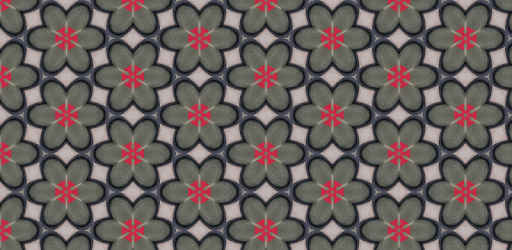
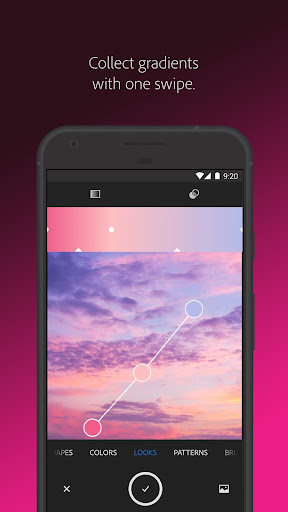
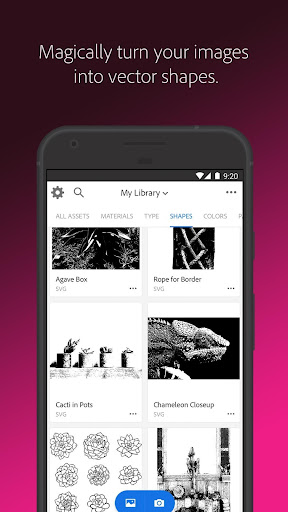

App Description
Illustrator, Photoshop, Fresco, color picker, svg, pantone, vector, font finder.
Try app before Sign in, free app
Adobe Capture turns your Android phone/tablet into a creation machine for graphic design.
Imagine looking through your camera to see patterns, vector, and even fonts. Now imagine turning those visions into design materials to immediately use in Adobe Photoshop, Adobe Illustrator, Adobe Premiere Pro, Adobe Fresco, and more. The power to transform the world around you into creative elements to build your projects is in the palm of your hands today.
Remove Background from Images
Take your photo inspiration and transform the background to use in your projects. Create high quality graphics to use in your projects.
Vectorize on the Go
Love poster? Looking for photo to sketch, pencil sketch? Create vector instantly with Shapes. Turn images into smooth, detailed, scalable vector with 1-32 colors, for use in logos, illustration, animation, vectornator and more. Point and shoot at your drawing or upload a photo and watch it magically transform into clean, crisp lines, pencil sketch.
Identify Typography
Looking for font finder? Find your perfect font using Adobe Capture. Take a photo of the type you like (in a magazine, on a label, a sign, anywhere!) and watch a list of similar Adobe Fonts magically appear.
Create Color Themes and Gradients
Designers, rejoice! Looking for customized color palettes, color match, color picker? Find an inspiring gradient? Find color by number or hex? Color grab? Aim your camera at the scene that has the colors you want and grab them to use in your artwork.
Build Beautiful Digital Brushes
Can’t find the right brush to paint? Take a photo or use an image to create brushes that match your creative vision. Use your brushes in Photoshop, Illustrator, or Fresco for rich painterly effects.
Craft Intricate Patterns
Love wallpaper? Looking for patternator? Capture inspiring images and generate patterns with Capture preset geometrics. Easily create beautiful, colorful patterns that fit with your creative projects by using your vector shapes with our precision pattern builder, patternator.
Generate 3D Textures
Generate realistic PBR materials for use in 3D design straight from the camera. Modify your materials for even more texture or blend the edges for seamless repeat tiling on your 3D objects.
Capture Light and Colo