百度输入法


百度输入法 Summary
百度输入法 is a free Android app in Tools by mobile cloud. Released in Jun 2010 (16 years ago). It has about 7.1M+ installs and 24K ratings with a 3.60★ (average) average. Based on AppGoblin estimates, it reaches roughly 304K monthly active users . Store last updated Nov 4, 2024
Recent activity: 14K installs this week (44K over 4 weeks) showing steady growth , and -24 new ratings this week View trends →
SDK intelligence: AppGoblin detected 11 development tools(e.g. Greenrobot), 9 business tools, 5 ad networks,and 1 analytics: attribution integrated into 百度输入法. View full SDK list →
Data tracking: The app's network data flows (API traffic to/from the app and its SDKs) were last crawled on Apr 30, 2026.
百度输入法 SDKs Summary
百度输入法 was last scanned for SDKs on 2026-05-01. Below is the overview of third-party companies detected in the app. The full list of SDKs, permissions and unknowns is available here.
AppGoblin saw 百度输入法 uses 11 Development Tools
 Greenrobot
 Square
 Airbnb Engineering
 Flutter
AppGoblin saw 百度输入法 uses 9 Business Tools
 JourneyApps
 Tencent
 Alipay
AppGoblin saw 百度输入法 uses 5 Ad Networks
 ByteDance
 VK
VK Huawei
AppGoblin saw 百度输入法 uses 1 Analytics: Attribution
 Huawei Analytics
3.6★
Ratings: 24K
Screenshots


App Description
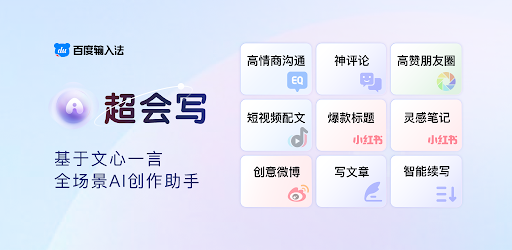
AI full sensory input, 900 million junior partner of choice
【The main function】
【YAN Keyboard】Yan/Yan/Yan's new skin is online, multi-picture carousel, copywriting is ever-changing, and there is a small surprise every time you type;
[Customized skin] Super multi-material, support for multi-picture DIY and ever-changing copywriting DIY;
[Intelligent prediction] Guess what you want to say according to the scene, and intelligently complete the whole sentence;
[AI Intelligent Input] Adaptive input scene, more intelligent words;
【AI Voice Input】Supports Chinese-English mixing without switching, dialect without switching, faster and more accurate;
[Offline Voice] The voice input is as accurate as when the network is disconnected and the weak network is weak;
[AR Emoticons] Make a variety of funny emoticons through face recognition technology;
[Super Large System Thesaurus] 500,000 system thesaurus, smooth input and accurate word selection;
[Artificial Intelligence Engine] Intelligent sentence input algorithm plus error correction algorithm to improve accuracy;
【Quick search】Search while chatting, one step direct;
[Game keyboard] The three major artifacts of game phrases, floating voice, and harmonious conversion are essential for boosting scores and super gods;
[Lazy Phrases] Built-in multiple phrase categories, and supports adding personal common words;
【Automatic synchronization】Automatic synchronization of cloud backup of user network words, setting items, and personalized phrases;
[Super strong Chinese and English mixed input] Free mixed input of Chinese, English, numbers and symbols;
【Smart handwriting】Support stacking; writing while writing, fast recognition speed; brush writing effect;
【Multiple input methods】Support multiple input methods such as Pinyin, English, strokes, Wubi, and voice;
【Voice shorthand】Voiceprint distinguishing role technology landed in the input method for the first time;
【Accessibility Service】
If you want to use the one-click sending function of emoticons, please enable the accessibility service of the input method. This service is only used to achieve the above functions, and the input method will not collect user privacy information, please feel free to use it. Opening method: "Settings" > "Accessibility" > "Installed Services" > "Check Baidu Input Method"