Remote Control for Rоku & TCL


Remote Control for Rоku & TCL Summary
Remote Control for Rоku & TCL is a free, ad-supported, with in-app purchases Android app in Tools by SensusTech LLC. Released in Jul 2021 (5 years ago). It has about 4.1M+ installs and 58K ratings with a 4.27★ (good) average. Based on AppGoblin estimates, it reaches roughly 148K monthly active users and generates around $10K+ monthly revenue (61% IAP / 39% ads). Store last updated Jun 29, 2026
Recent activity: 20K installs this week (49K over 4 weeks) showing declining growth , and 214 new ratings this week View trends →
Advertising: AppGoblin detected 1.00 monetized ad creatives shown inside the app.
SDK intelligence: AppGoblin detected 15 ad networks(e.g. Google), 7 development tools, 2 mediation, 1 analytics: product,and 1 business tools integrated into Remote Control for Rоku & TCL. View full SDK list →
Remote Control for Rоku & TCL SDKs Summary
Remote Control for Rоku & TCL was last scanned for SDKs on 2026-08-16. Below is the overview of third-party companies detected in the app. The full list of SDKs, permissions and unknowns is available here.
 Google
 Facebook
 AppLovin
 Unity
Unity Square
 Airbnb Engineering
 AdMob
AdMob Firebase
4.27★
Ratings: 58K
Screenshots
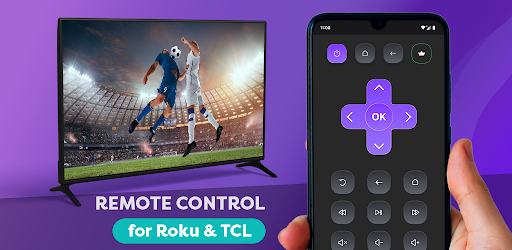


App Description
Remote Control App for Roku, TCL, Hisense, Insignia Smart TVs + Screen Mirroring
It is the 21st century, and everything is becoming digital: books, games, meetings. Why? It is more convenient and comfortable. That is why we want to introduce our new app - the Smart Remote app for TCL and Roku TV.
Smart Remote app transforms your phone into a remote control center for the Roku, TCL, Hisense or Insignia TV. It is easy to understand with our intuitive display, and right after install you can begin to control your Smart TV, Roku TV, Streaming Stick, Express, Player or Box.
Did we tell you that our app offers your remote Mirroring Screen for TCL, Roku or Smart TV?
If you have eyesight problems and always need to put your glasses on or go near a TV, forget it!
Now you can just look at your smartphone and see everything you need. Not only Screen Mirroring, but also you can make a TV cast of your favorite videos.
We all know the eternal problem of remotes is getting lost. One of the best things is that you won’t lose a phone at the apartment, or at least you can call your phone to find it. Now you won’t need an old Hisense or Insignia remote because you have one on your phone. It acts as a TCL TV remote, and it doesn’t need batteries. It perfectly and automatically connects with Roku as well.
For you, nothing will change, except now you always know where your TV remote control is. Just connect it through your Wi-Fi, and it is ready to go. New TLC, Roku, Hisense or Insignia remote will have the same functionality and even more:
· Power On/Off
· Volume Up / Down Control
· Roku Channels Control
· Navigation Buttons Up/Down/Left/Right
· You still can use play, pause, fast forward, and rewind while the player is active
· You always know where your TV remote is
· It works with Roku and Hisense as well as a familiar remote control
· You can use the Screen Mirroring function if something is not visible clearly or enjoy streaming videos or photos from your phone on a bigger screen with a TV cast function.
So don’t waste your time finding your remote or buying new batteries. Just downloading the Smart Remote app transforms your phone into the remote control for the TCL, Roku, Insignia, Hisense, or other TV. Easy to use, everything an old Insignia TV remote had, now in your smartphone, is your new Insignia. It will automatically connect to your