Roadnetic: Mileage Tracker


Roadnetic: Mileage Tracker Summary
Roadnetic: Mileage Tracker is a free, with in-app purchases Android app in Finance by SOVASH. Released in Sep 2026 (recently released ago). Store last updated Sep 16, 2026
Roadnetic: Mileage Tracker SDKs Summary
App not yet scanned for SDKs.
0★
Ratings:
Screenshots


App Description
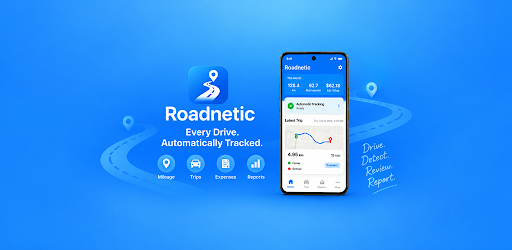
Automatic mileage tracking with trip maps, expenses and business reports.
Track every drive. Keep every mile organized.
Roadnetic is an automatic mileage tracker for self-employed drivers, freelancers, independent professionals and anyone who needs clear business mileage records.
Set up automatic tracking once and Roadnetic can detect drives in the background, record distance and routes, and build an organized mileage log without manually starting every trip.
AUTOMATIC MILEAGE TRACKING
• Automatically detect and record drives
• See clear From → To locations
• View recorded route maps
• Track distance, time and trip details
• Classify trips as Business, Personal or Commute
• Add manual trips when needed
Tracking Health helps you check the permissions and device settings needed for reliable automatic mileage tracking.
BUSINESS MILEAGE MADE SIMPLE
Turn recorded drives into useful business mileage records.
• Review Business, Personal, Commute and Unclassified mileage
• See trips that still need review
• Add business purpose, client, vehicle and notes
• See estimated mileage value when a rate is configured
• Use custom or employer mileage rates
Mileage values are estimates for recordkeeping. Tax treatment depends on your circumstances.
TRIP MAPS & MILEAGE LOG
Each recorded drive can include:
• From and To locations
• Route map
• Start and end time
• Distance
• Automatic or manual source
• Classification
• Vehicle and client
• Business purpose and notes
MILEAGE AND EXPENSE TRACKER
Keep vehicle expenses together with your mileage records.
Track fuel, parking, tolls, maintenance, repairs, tires, insurance, registration, car washes, lease or rental costs and other vehicle expenses.
Attach receipts by taking a photo, choosing an existing photo or selecting a file. Expenses can be associated with trips, vehicles and clients.
MILEAGE REPORTS & EXPORTS
Review mileage by day, week, month, year or a custom period.
See:
• Total mileage
• Business mileage
• Personal and Commute mileage
• Unclassified mileage
• Estimated Business mileage value
• Expenses
• Trips that need review
Export your mileage records when you need a separate copy. Roadnetic supports CSV export, with professional PDF and Excel reports available with Roadnetic Pro.
A United States business-records profile is available for users who want organized U.S. business mileage and expense records.
ROADNETIC FREE
Start with a useful free mileage tracking app:
• Up to 50 automatic trips per month
• Unlimited manual trips
• From → To locations and route maps
• Business, Personal and Commute classification
• Tracking Health and Needs Review
• Manual expenses
• Receipt attachments within the Free allowance
• Basic mileage reports and Business mileage value
• CSV export
Your existing records remain accessible if you reach a Free limit.
ROADNETIC PRO
Upgrade when you need more:
• Unlimited automatic mileage tracking
• Unlimited receipt attachments
• Unlimited vehicles and clients
• Saved places and rules
• Advanced mileage and value reporting
• Professional PDF reports
• Excel reports
• Advanced business reporting
Subscription pricing and introductory offers are shown through Google Play and may vary by country and eligibility.
BUILT FOR RELIABLE RECORDKEEPING
Roadnetic focuses on the core job: detecting drives, helping you review them, and turning mileage and expenses into useful records.
Drive. Detect. Review. Report.
Automatic tracking requires applicable location, physical activity and background permissions. Availability may vary by device settings and Android version.